If you are a beginner at programming and wanted to start your journey with Python then, This blog is for you.
Why Python?
Python is English
Python is a high-level language, which means the code is abstracted from machine-level language making it easy for humans to understand. Moreover, this is comparatively easy than many other languages. It allows you to think like a programmer and not waste time with confusing syntax.
Python is easy to learn but, hard to master
Scope for Python
Python is widely used in fields like data science, web development, software engineering, game development, automation, etc making it one of the most demanded languages of this time.
Fields like Artificial Intelligence, Machine learning, Data science are surging demands in industries, these are the most promising fields in terms of job opportunities that require Python programming.
Community
Many beginners think that Python is a new language but, It was created by Guido van Rossum, and first released on February 20, 1991. It has one of the largest communities which makes us able to get help whenever we get stuck in any problem. Also, it has a vast number of libraries and frameworks.
Why not?
Now that we've known why to choose Python as a first language we should also discuss Its disadvantages and we have only one:
Python is easy
lol! Python is not recommended for beginners by some people because;
- Python doesn't teach you memory management.
- Vast number of libraries makes it easy to use which may decrease your learning curve.
- Many important concepts like OOPs are abstract in Python.
However, I feel, as a beginner you need to understand how the code works and all other concepts are secondary. So I recommend learning python first and then It's easy to shift to any other language after that.
Now let's get started.....
PYTHON 101
Where to write my code?
So there are different sources for you to code in python, Some of the ways I recommend you are
- Set it up in your local system: You can download python from its official website and run it in your system In the IDLE or you can even download an IDE(Integrated Development Environment), I recommend Pycharm.
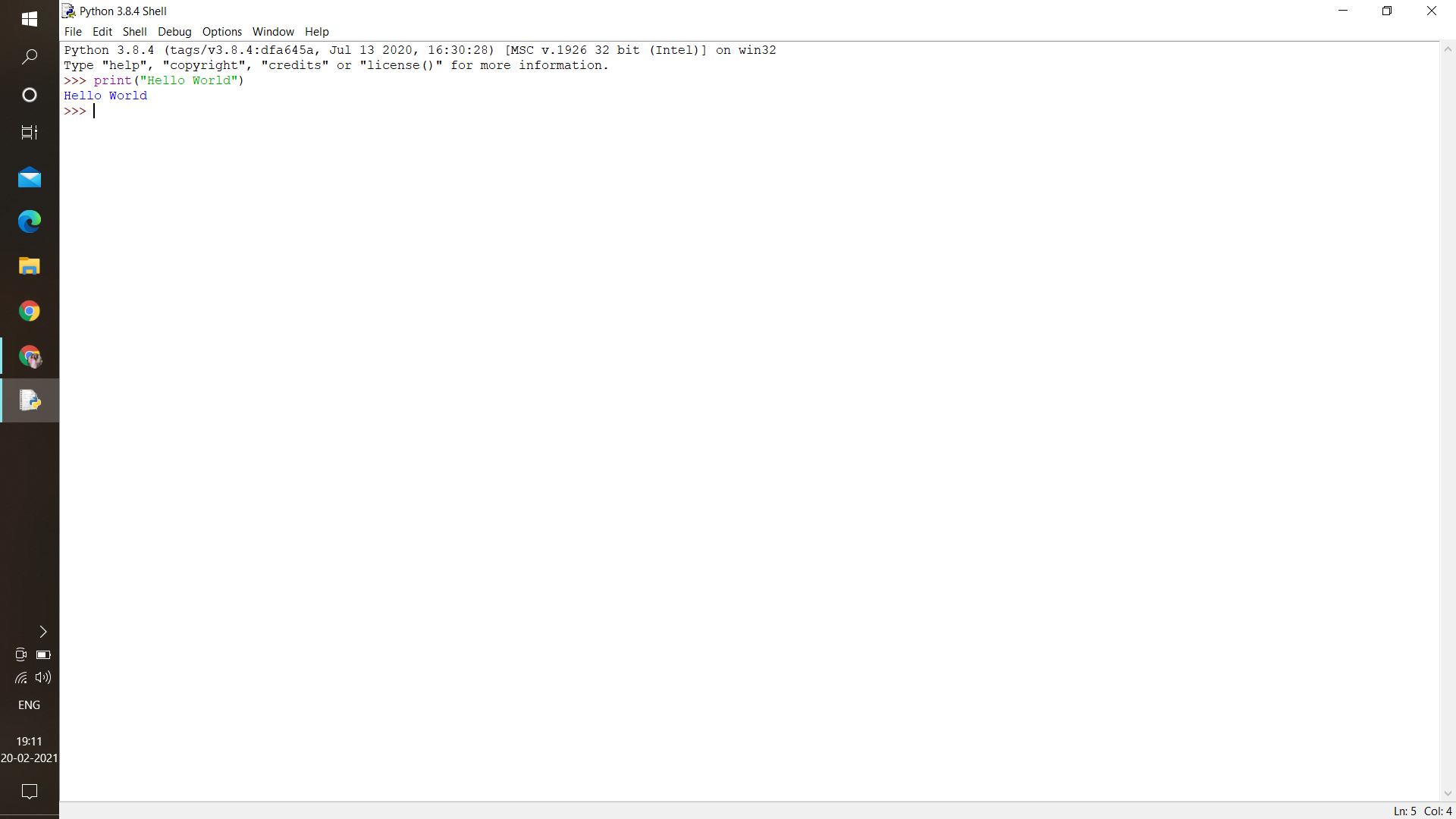
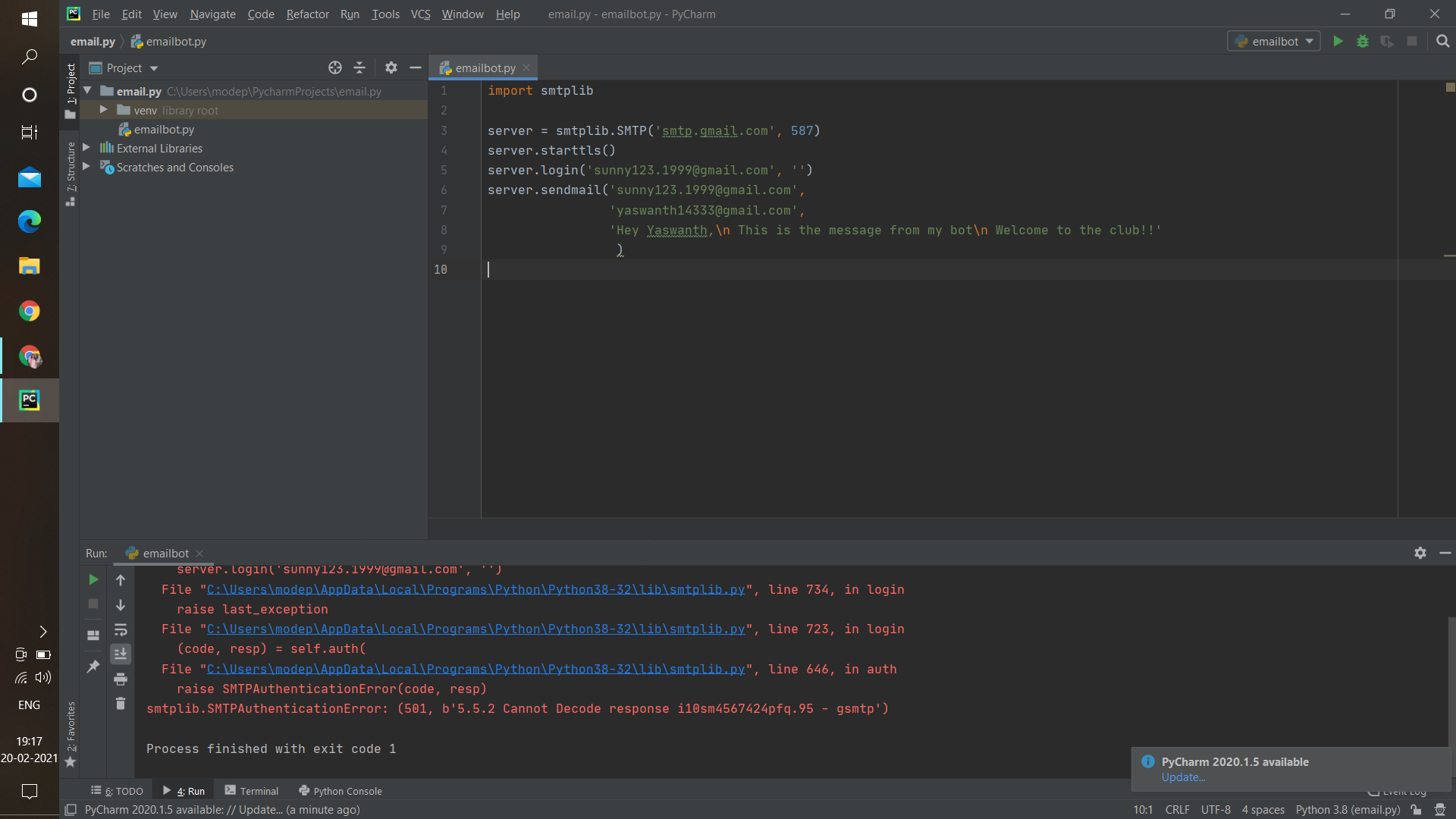
- Use an online compiler: Many online compilers are available on the web, I recommend using replit
Hello World!
Open a new python file and type the following command :
print("Hello World! ")
Now run the command.
Yay! you've written your first code in python. This command is used to print any statement.
Comments
Documentation is a love letter that you write to your future self.
Writing good documentation is considered a skill.
In any language, writing good comments is very important. Comments make it easy for people to understand your code.
print("hello")
#This is a comment
single-line comments are given after " # ". The letters after hash won't have any meaning in the code, It's just for us to understand.
Variables
Variables in simple words are memory spaces where you can store data or values. In Python, the variables don’t need to be declared before the usage as it is needed in other languages. The data type is automatically assigned to the variable. For Example,
a = "Pavi"
b = 10
c = 2.3
Here we assigned some values to the variables a, b, and c. Now we can even print them if we want;
a = "Pavi"
b = 10
c = 2.3
print(a, b, c)

#output:
Pavi 10 2.3
Now the type of variables we entered here is not the same. We'll discuss that in the next topic.
Data types
Data types are data that a language supports such that it is helpful to define real-life data such as marks, names, etc. Some of the data types are as shown below:
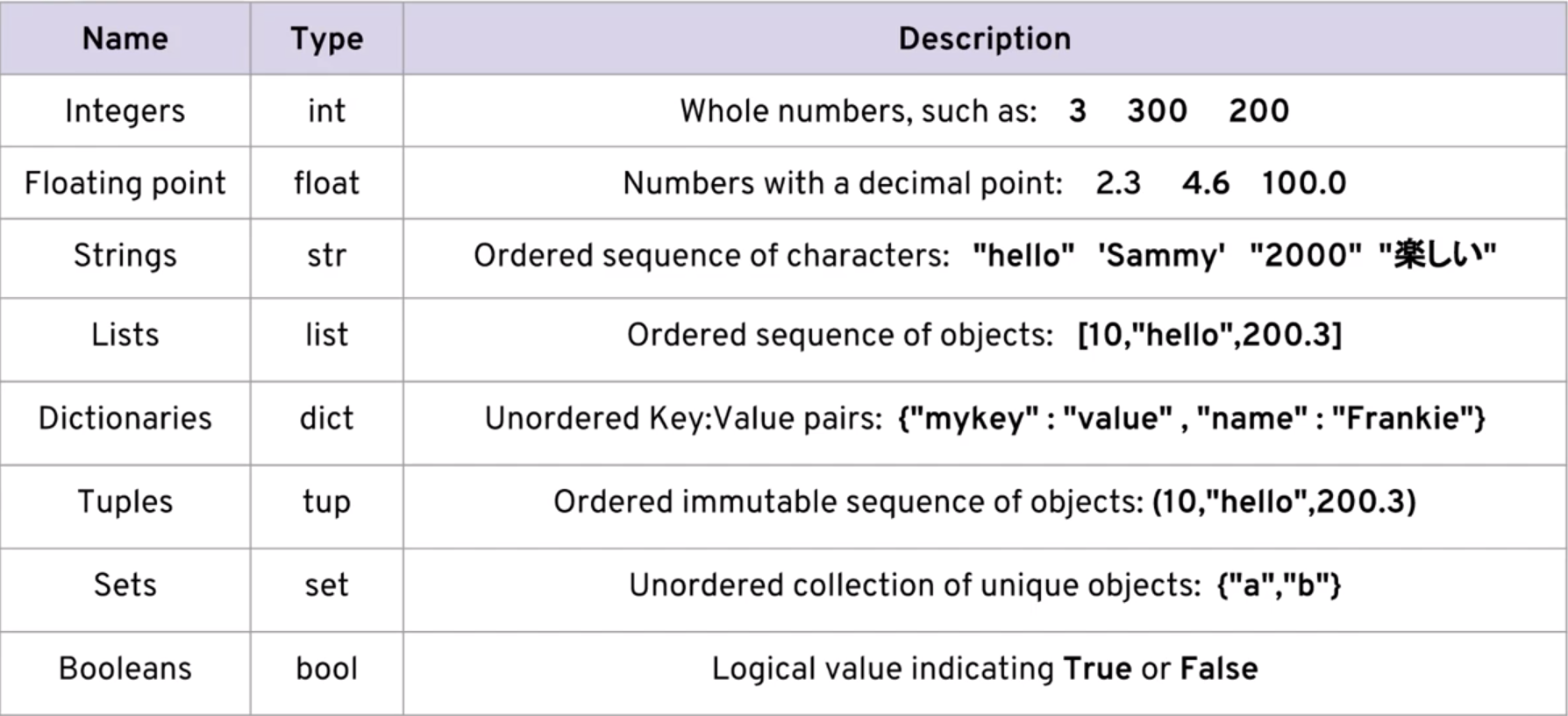
You can know the type of a variable using the type() command:
a=2
print(type(a))

#Output:
int
#i.e. a is of type integer.
Every data type has its own features which we use according to our requirements. We can do certain operations using these data types which we are going to learn later...
Operators In Python
Operators are constructs you use to manipulate the data. You can do basic operations like addition, subtraction, etc to complex operations like bitwise operations. Operators in python are:
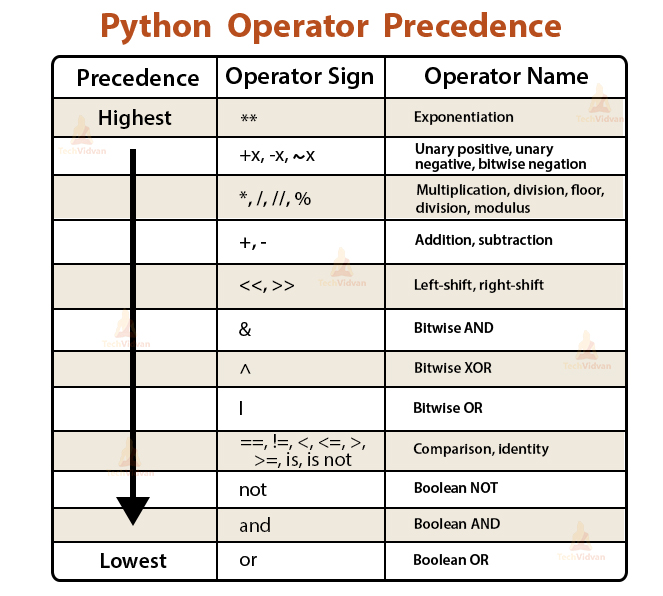
Same as in maths when given many operations in a single task operator are given priorities as seen in the image. Example to use operators:
a=10
b=5
c = a + b
print(c)

#output:
10
Control Flow and Condition Statements:
Till now you've learned some structures present in python, now we'll learn to add certain conditions to the code like add logic and repeat certain statements such that your code reduces and are able to obtain a solution with lesser and efficient code.
This can be done using loops and conditional statements in python;
Conditional Statments:
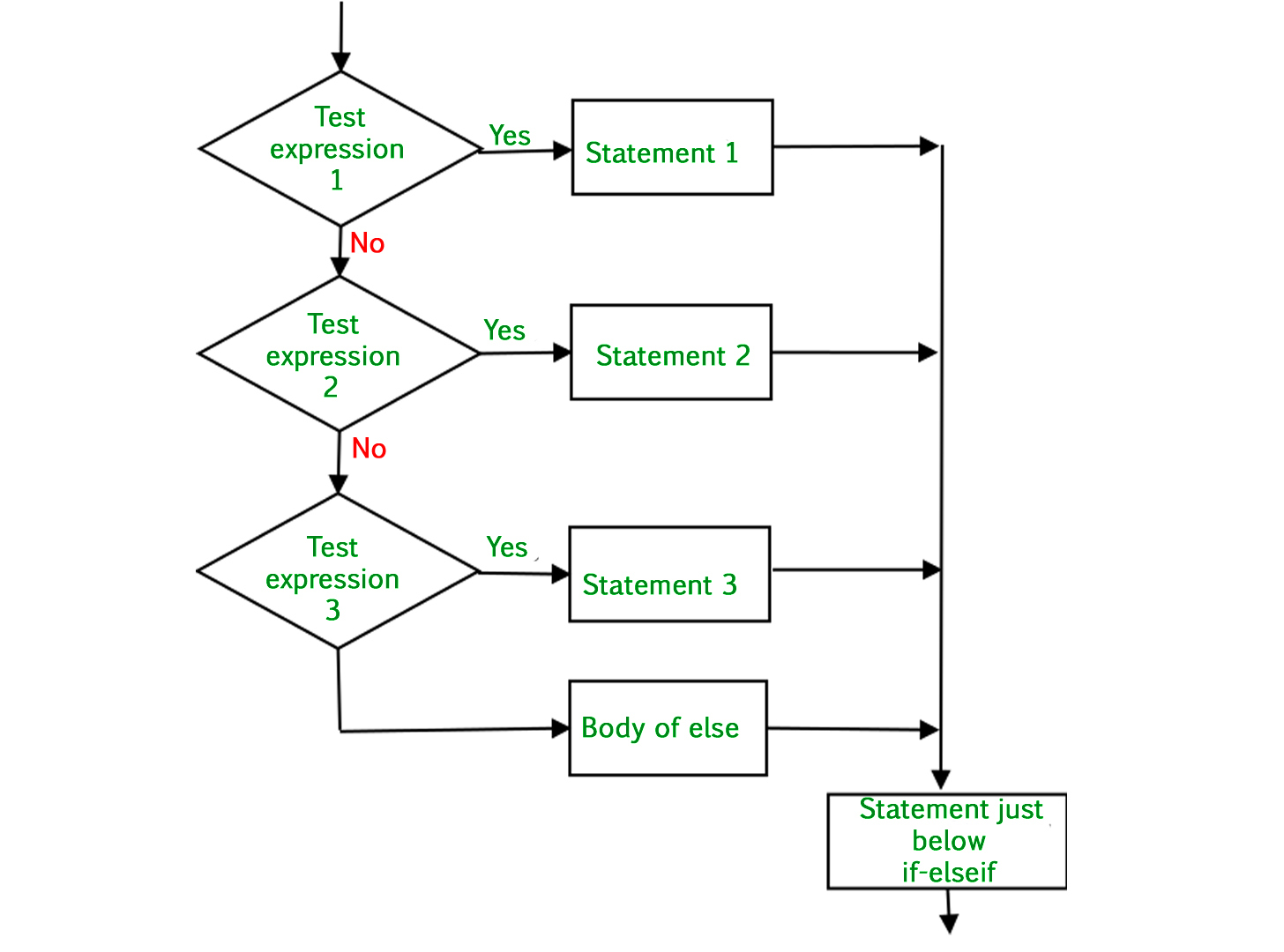
Conditional statements are executed only if a certain condition is met, else it is skipped ahead to where the condition is satisfied. Conditional statements in Python are the if, elif and else.
Example:
a = 2
b = 3
#assigned values to a and b
if (a==b): #used to check if a condition is satisfied
     print("They are equal.")

elif (a>b): #If the "if" statement isn't satisfied this condition will be checked
     print("a is greater.")

else: #If none of the above conditions satisfies, this code will be executed
     print("b is greater.")
output:
b is greater.
Loops:
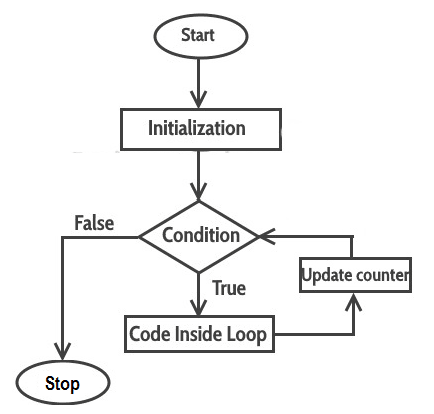
In some situations, you may have to execute certain statements again and again to obtain a solution or you could apply some logic such that a certain similar kind of statements can be executed using only 2 to 3 lines of code. Loops are used to apply that logic.
We have two types of loops in Python:
- For loop
- While loop
For Loops: These loops are used to perform a certain set of statements for a given condition and continue until the condition has failed. You know the number of times that you need to execute the for loop.
Example:
names = ["Jaggu", "Rohan", "Lohit"]
#If we want to print each element in that list,
# we can use a for loop

for i in names:
     print(i)
output:
Jaggu, Rohan, Lohit
This is how a for loop runs.
While loops: While loops are the same as the for loops with the exception that you may not know the ending condition.
Example:
a = 0                #initialization
while a <=5 :   #condition
    print(a)
    a = a+1        #incriment / decriment
output:
0
1
2
3
4
5
This is how loops work in python.
Note: Proper indentation is very important in conditional statements and loops in python
I guess, by now you would gain some knowledge about the basics of Python and can get started with it. I'll provide some beginner-friendly resources which helped me in learning Python. Keep learning new concepts and apply them in small projects to gain confidence in this. If you follow these resources and do some good projects You can definitely master this language...
Resources:
To learn more about Python I recommend the following resources:
- Youtube channel Telusko
- website W3Schools
- Practice problems W3Resources
later on, I'm going to add more content to this blog, Stay tuned.
All The Best!!!


